


Survey123 Tutorial
This page provides information on using Survey123 to provide input into efforts to plan expeditions on NOAA Ship Okeanos Explorer.
-
- Answer all required questions:
- Submitter affiliation: your institutional affiliation(s)
- Name of area submitted: to streamline the aggregation process for submitted data, please provide a name for your submission using the following naming convention: GeographicFeatureName_YourName_SubmissionDate (Example: SouthEasternHawaiiEEZ_JaneDoe_01262024)
- Submission type: whether you are predominantly submitting for exploration operations (e.g., autonomous underwater vehicle, remotely operated vehicles) or mapping operations
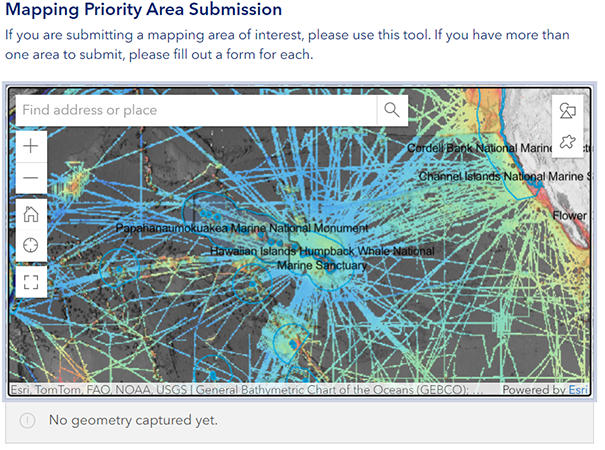
- Use the map submission tool to submit priority area of interest
-
The priority area submission question will default to hover over this year’s operating area and will be pre-populated with the following layers:
- NCEI Multibeam Bathymetry Mosaic: Shaded Relief Visualization
- Previous Okeanos Explorer ROV Dive Locations
- Previous National Deep Submergence Facility Dive Locations
- NOAA National Marine Protected Areas
- U.S. Exclusive Economic Zone Boundaries
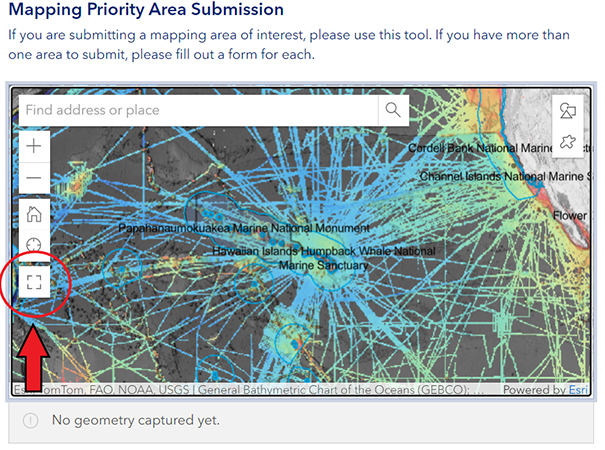
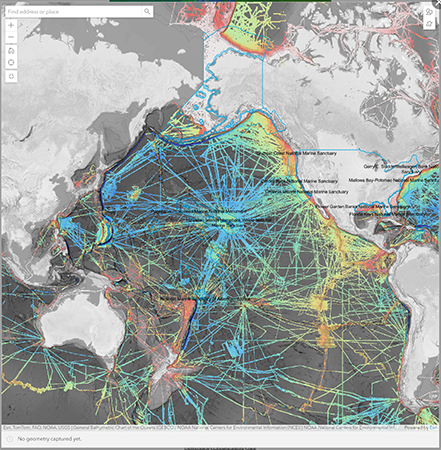
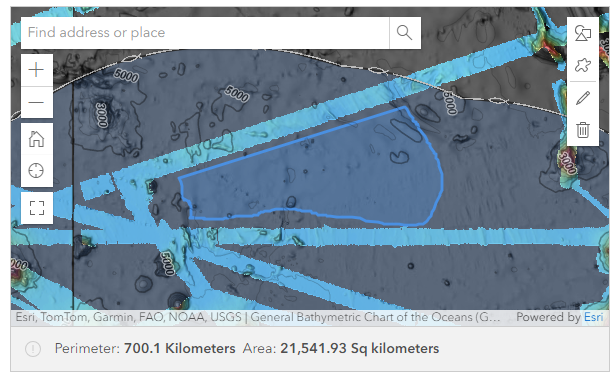
- To enlarge the map, click the box icon at the bottom of the left-hand toolbar.
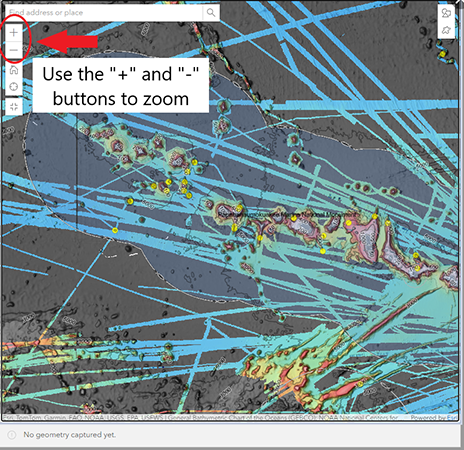
- Navigate to your area of interest using the “+” and “-” buttons on the left-hand toolbar to zoom in and out and drag the map using your mouse.
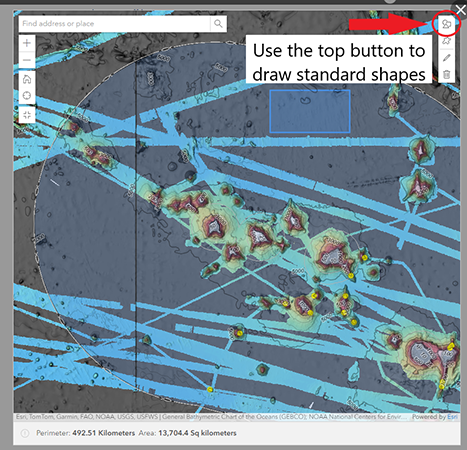
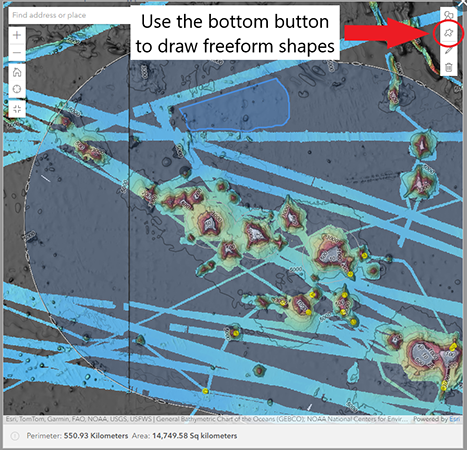
- Using the drawing tools in the top right-hand toolbar, draw your polygon. The top button will allow you to draw a pre-shaped poylgon (i.e. a circle, square, etc.) and the bottom button will allow you to draw a freeform shape.
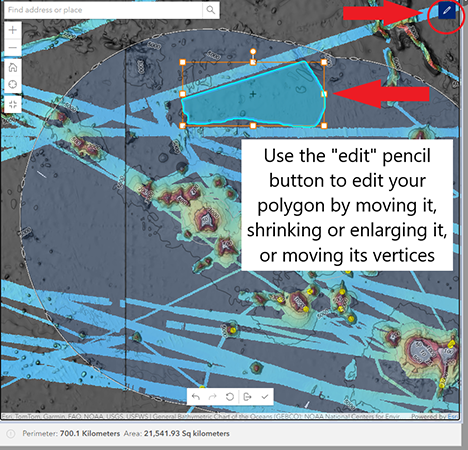
- To edit or delete your polygon, use the “edit” or “delete” buttons. Using the “edit” button, you can draw vertices, or move the polygon around on the map.
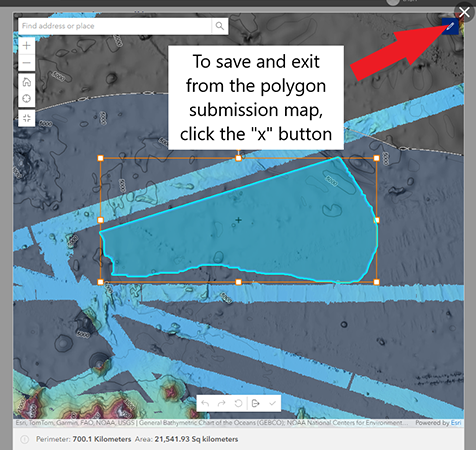
- When you are finished drawing and editing your polygon, click the “X” button in the top right-hand corner to exit the polygon submission question. Your polygon will automatically be saved.
-
The priority area submission question will default to hover over this year’s operating area and will be pre-populated with the following layers:
- Complete the survey questions.
- Justification for interest in submitted area: please choose an overall topic to describe your reason for submitting this area
- Description of area submitted: please use this question to describe why you are submitting this area of interest. If you plan to submit multiple forms with multiple areas of interest, please include information about prioritization of the submitted area in your response.
- Document upload: if you would prefer not to draw a polygon, or if you have additional information to submit, please use the document upload feature to upload a .zip file containing supplementary geospatial files and other information.
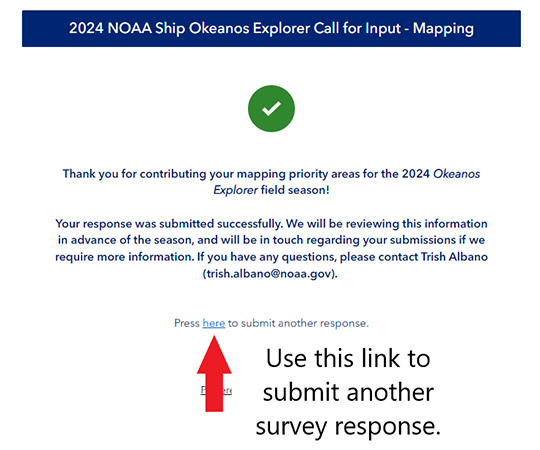
- Submit the survey. Upon completion, you will be auto-directed to a screen that gives you the option to submit another response. If you have additional areas of interest you would like to submit, please click the link provided and fill out another form.
- Answer all required questions:
Last updated September 30, 2025
Published February 15, 2024